Dreame Africa
Dreame D30 Ultra Robot Vacuum (White)
Dreame D30 Ultra Robot Vacuum (White)
Couldn't load pickup availability
The Dreame D30 Ultra is a fully automated robot vacuum and mop featuring 25,000Pa powerful suction and dual rotating scrubbing mops for deep cleaning on both hard floors and carpets. Powered by a 6th-generation TurboForce™ motor, it removes pet hair, dust, and stubborn debris. MopExtend™ RoboSwing Technology reaches edges and corners with ease, while the Multifunctional PowerDock offers up to 100 days of auto-emptying, mop and washboard self-cleaning, and fast charging for minimal maintenance. With ultrasonic carpet detection, automatic 10.5mm mop lifting, advanced carpet cleaning modes, and smart app control, the D30 Ultra delivers a smarter, more convenient cleaning experience.
Product Features
- Up to 25,000Pa extreme suction power
- Dual rotating mops with MopExtend™ RoboSwing
- 100-day auto-empty multifunctional docking station
- Mop and washboard self-cleaning for superior hygiene
- 10.5mm automatic mop lifting for carpet protection
- Smart navigation and app-controlled customization
Technical Specifications
Robot Vacuum Dimensions: 350mm x 350mm x 97mm
Base Station Dimensions: 457mm x 340mm x 590mm
Robot Vacuum Weight: 3.89kg
Base Station Weight: 8.86kg
Maximum Suction: 25,000Pa
MopExtend™ RoboSwing
AceClean™ DryBoard
Mop Lifting Height: 10.5mm
Threshold Crossing: 20mm
Mop Air Drying
Battery Capacity: 5,200mAh
Dust Bag Capacity: 3.2L
Dust Box Capacity: 250ml
The Dreame D30 Ultra delivers powerful performance, intelligent automation, and ultimate convenience—for a cleaner home, effortlessly.
How to clean guide:
1. Turn Off and Unplug - Before cleaning, turn off the vacuum and unplug it if necessary.
2. Clean the Dustbin - Remove and replace the dustbin after every 60 - 90 days, depending on how often the vacuum is used.
3. Clean the Filters - Remove the filters: Most Dreame robots come with two filters- a primary filter and a HEPA filter. Clean the primary filter: Shake out any dirt or use a soft brush to remove debris. Clean the HEPA filter: If washable, rinse the HEPA filter gently under cold water and let it dry completely before reinserting. Tip: Clean filters regularly (every 1-2 months) to maintain suction power.
4. Clean the Brushes - Main brush: Remove the main brush by detaching it from the vacuum. Use scissors to carefully cut off any tangled hair or debris. Wipe it down with a dry cloth. Side brushes: Use a small brush or cloth to clean the side brushes. Remove any hair or dust wrapped around them.
5. Clean the Wheels - Check for debris around the wheels. Use a dry cloth or brush to clean around the wheels to ensure they move freely.
6. Check the Sensors - Wipe the sensors: Use a soft, dry cloth to gently wipe the sensors on the vacuum to avoid dirt buildup that could interfere with navigation.
7. Clean the Charging Contacts - Wipe the charging contacts: Use a dry cloth to clean the metal charging contacts on the vacuum and charging dock.
8. Reassemble the Vacuum - After cleaning all parts and allowing them to dry, reassemble the vacuum and place it back on its charging dock.
Additional Tips:
Do not add any liquid other than the officially-approved cleaning solution to help prevent malfunction.
Users can add Dreame Official cleaning solution manually at a ratio of 1:200 (concentrated cleaner to water)
Regular cleaning (at least once a month) keeps the vacuum running efficiently.
Check for any wear or tear, particularly on the brushes, and replace them if needed.
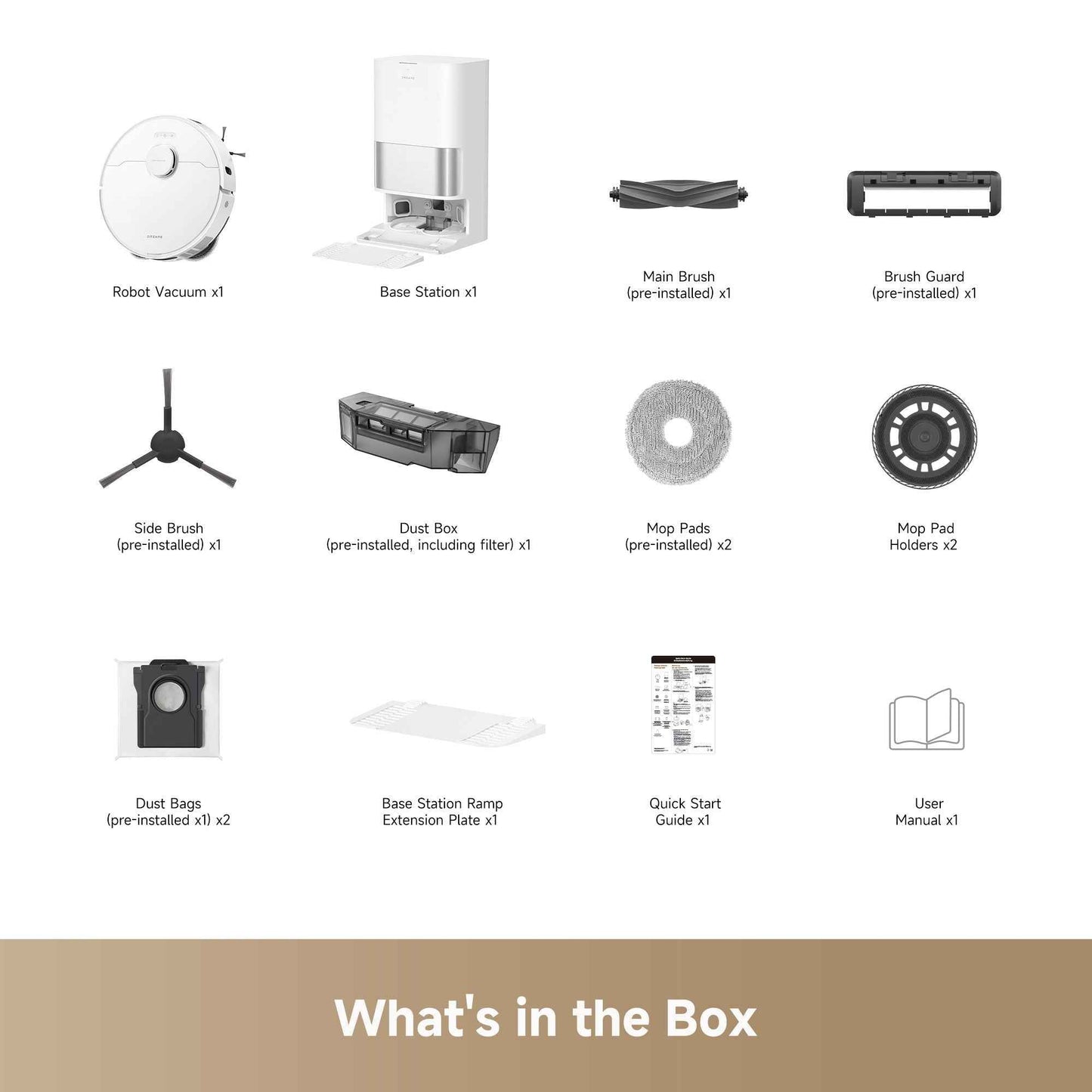
What's in the box
x1 Robot Vacuum
x1 Base Station
x1 Main Brush (pre-installed)
x1 Brush Guard (pre-installed)
x1 Side Brush (pre-installed)
x1 Dust Box (pre-installed, including filter)
x2 Mop Pads (pre-installed)
x2 Mop Pad Holders
x2 Dust Bags (pre-installed x1)
x1 Base Station Ramp Extension Plate
x1 Quick Start Guide
x1 User Manual
Share