Dreame Africa
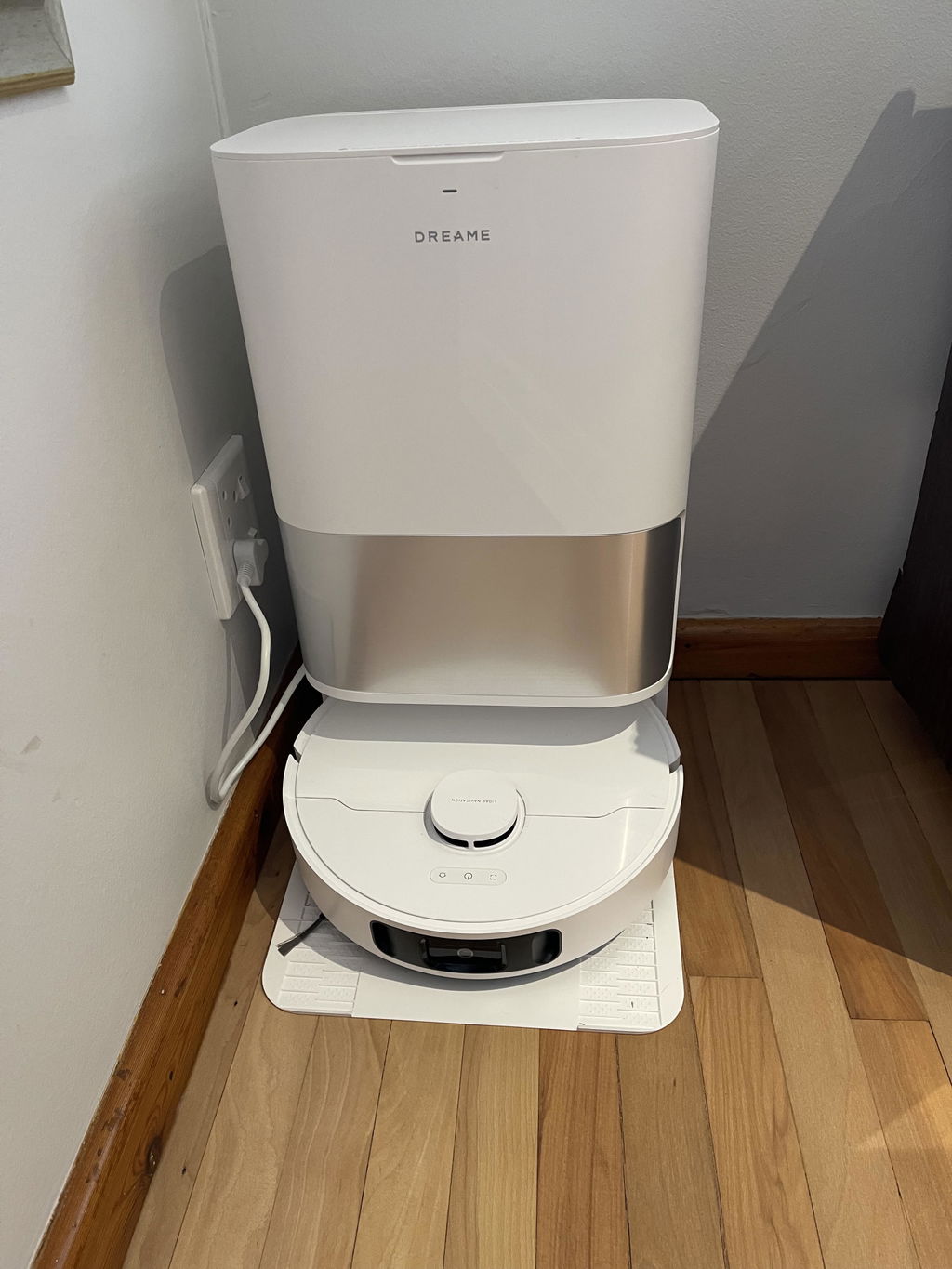
Dreame D30 Ultra Robot Vacuum (White)
Dreame D30 Ultra Robot Vacuum (White)
Couldn't load pickup availability


The Dreame D30 Ultra is a fully automated robot vacuum and mop featuring 25,000Pa powerful suction and dual rotating scrubbing mops for deep cleaning on both hard floors and carpets. Powered by a 6th-generation TurboForce™ motor, it removes pet hair, dust, and stubborn debris. MopExtend™ RoboSwing Technology reaches edges and corners with ease, while the Multifunctional PowerDock offers up to 100 days of auto-emptying, mop and washboard self-cleaning, and fast charging for minimal maintenance. With ultrasonic carpet detection, automatic 10.5mm mop lifting, advanced carpet cleaning modes, and smart app control, the D30 Ultra delivers a smarter, more convenient cleaning experience.
Product Features
- Up to 25,000Pa extreme suction power
- Dual rotating mops with MopExtend™ RoboSwing
- 100-day auto-empty multifunctional docking station
- Mop and washboard self-cleaning for superior hygiene
- 10.5mm automatic mop lifting for carpet protection
- Smart navigation and app-controlled customization
Technical Specifications
- Robot Vacuum Dimensions: 350mm x 350mm x 97mm
- Base Station Dimensions: 457mm x 340mm x 590mm
- Robot Vacuum Weight: 3.89kg
- Base Station Weight: 8.86kg
- Maximum Suction: 25,000Pa
- MopExtend™ RoboSwing
- AceClean™ DryBoard
- Mop Lifting Height: 10.5mm
- Threshold Crossing: 20mm
- Mop Air Drying
- Battery Capacity: 5,200mAh
- Dust Bag Capacity: 3.2L
- Dust Box Capacity: 250ml
The Dreame D30 Ultra delivers powerful performance, intelligent automation, and ultimate convenience—for a cleaner home, effortlessly.
How to clean guide:
- Turn Off and Unplug - Before cleaning, turn off the vacuum and unplug it if necessary.
- Clean the Dustbin - Remove and replace the dustbin after every 60 - 90 days, depending on how often the vacuum is used.
- Clean the Filters - Remove the filters: Most Dreame robots come with two filters- a primary filter and a HEPA filter. Clean the primary filter: Shake out any dirt or use a soft brush to remove debris. Clean the HEPA filter: If washable, rinse the HEPA filter gently under cold water and let it dry completely before reinserting. Tip: Clean filters regularly (every 1-2 months) to maintain suction power.
- Clean the Brushes - Main brush: Remove the main brush by detaching it from the vacuum. Use scissors to carefully cut off any tangled hair or debris. Wipe it down with a dry cloth. Side brushes: Use a small brush or cloth to clean the side brushes. Remove any hair or dust wrapped around them.
- Clean the Wheels - Check for debris around the wheels. Use a dry cloth or brush to clean around the wheels to ensure they move freely.
- Check the Sensors - Wipe the sensors: Use a soft, dry cloth to gently wipe the sensors on the vacuum to avoid dirt buildup that could interfere with navigation.
- Clean the Charging Contacts - Wipe the charging contacts: Use a dry cloth to clean the metal charging contacts on the vacuum and charging dock.
- Reassemble the Vacuum - After cleaning all parts and allowing them to dry, reassemble the vacuum and place it back on its charging dock.
Additional Tips:
Do not add any liquid other than the officially-approved cleaning solution to help prevent malfunction.
Users can add Dreame Official cleaning solution manually at a ratio of 1:200 (concentrated cleaner to water)
Regular cleaning (at least once a month) keeps the vacuum running efficiently.
Check for any wear or tear, particularly on the brushes, and replace them if needed.
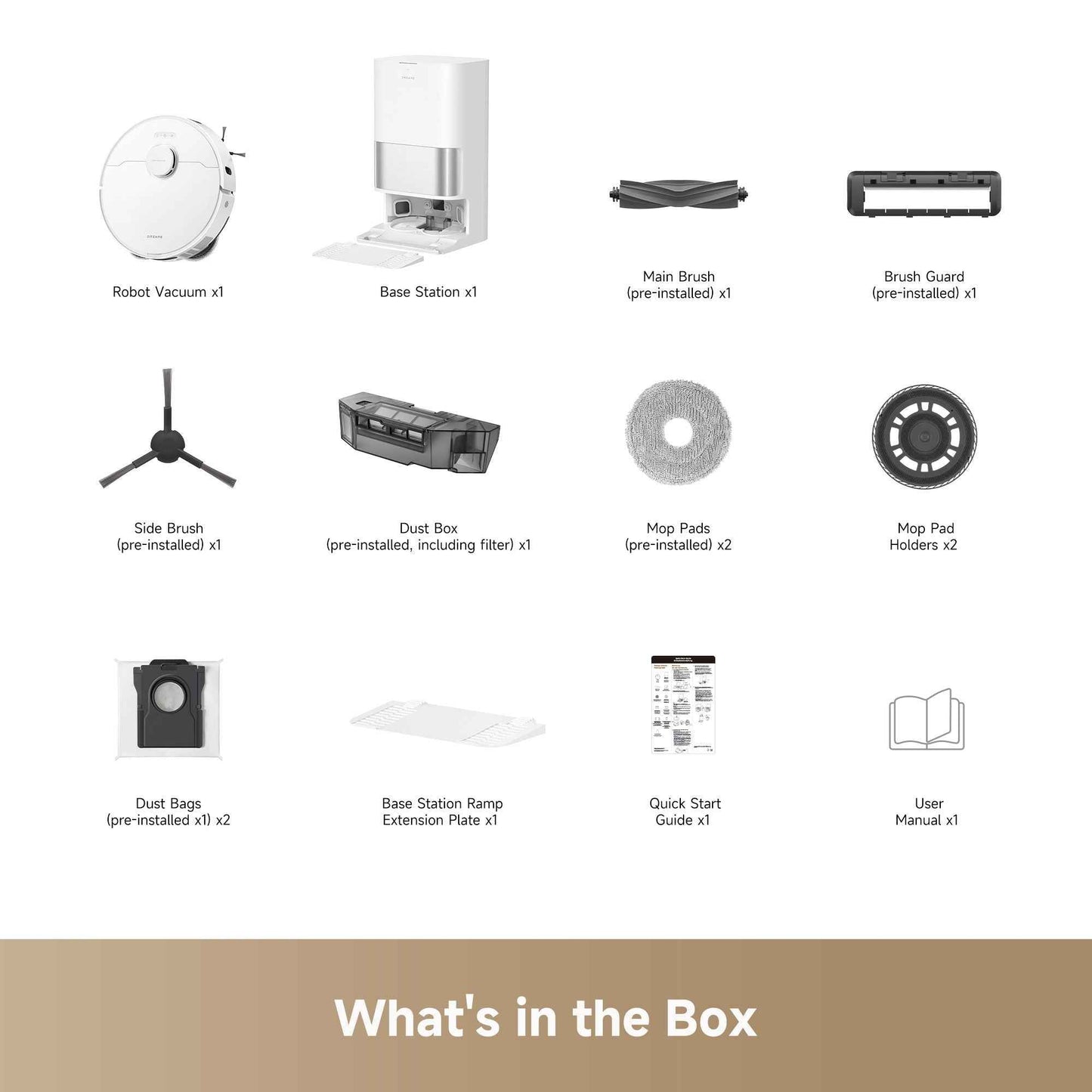
What's in the box
- x1 Robot Vacuum
- x1 Base Station
- x1 Main Brush (pre-installed)
- x1 Brush Guard (pre-installed)
- x1 Side Brush (pre-installed)
- x1 Dust Box (pre-installed, including filter)
- x2 Mop Pads (pre-installed)
- x2 Mop Pad Holders
- x2 Dust Bags (pre-installed x1)
- x1 Base Station Ramp Extension Plate
- x1 Quick Start Guide
- x1 User Manual
Trade-In-Policy
Trade-In-Policy
Please note that Dreame South Africa does not offer a trade-in programme. We are unable to accept previously owned or used appliances in exchange for a new product, and we do not provide trade-in credit, discounts or deductions towards the purchase of a new appliance.
Thank you for your understanding and for choosing Dreame South Africa.